



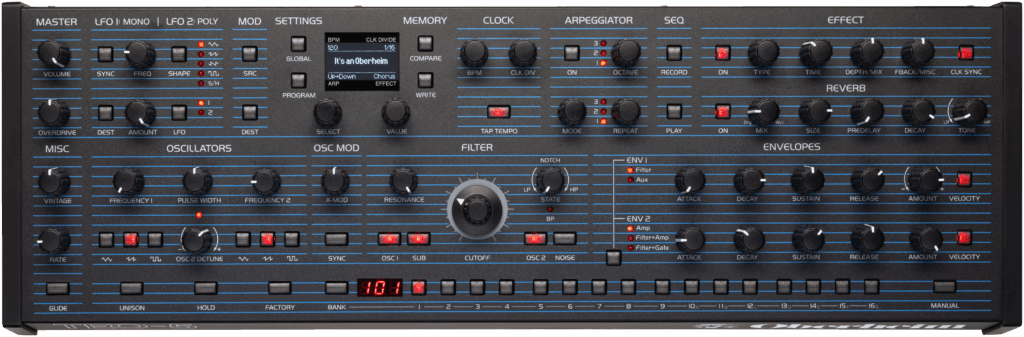


Oberheim TEO-5 - Melodic Techno/Trance/Progressive/EDM Soundbank Soundbank
64 Top Quality Presets including Leads/Pads/Bass/Acids/Plucks/FX
I'm delighted to offer you this premium Oberheim TEO5 soundbank for all your music production needs.
I see the Oberheim TEO5 as a modern sounding vintage analog, and thanks to it's SEM State Variable Filter and through-zero FM it can create some unique sounds not usually found in other subtractive synthesizers. It's been a joy to use, due to it's intuitive interface and extensive modulation matrix.
This Oberheim TEO5 soundbank is designed to give you access to a range of versatile and unique sounds, including rich pads, evolving textures, and intricate melodies.
This soundbank was designed especially for Melodic House/Progressive/Techno//Trance & EDM genres but the sounds can also work for any genre of music, including ambient, electronica, chillout, or soundtrack production. I've carefully crafted each sound so that it can work seamlessly in any composition or mix, giving you the best possible sound experience.
Don't miss this opportunity to elevate your music production and take your creativity to the next level with this premium Oberheim TEO5 Soundbank. Download now and start producing your best work yet!
License
Single User, royalty-free for commercial or home use.
Restrictions
The buyer may not use, copy, modify, translate, or transfer the product or any copy except as expressly defined in this agreement. You cannot Sample these Presets and then sell them as a Sample Pack.
This Soundbank is a digital item.
The download link for the sound pack will be provided via email upon purchase.
Disclaimer
All melodies used in the demonstration files are copyrighted to the respective owners. All the MIDI data and sequences are strictly for educational purposes only, and not to be abused in any way.
Installation Instructions
Alway backup your patches first to ensure you don't lose them!
Backing Up User Sounds Over MIDI – Oberheim
To load Sysex (System Exclusive) patches onto your Oberheim TEO-5, you'll need to use a computer with a MIDI interface or a direct USB connection to the synth and a Sysex Librarian software.
Here's a breakdown of the general process:
- Connect the TEO-5:
- Use a USB cable (Type A to Type B) to connect your TEO-5 directly to your computer.
- Alternatively, use a MIDI cable to connect your TEO-5's MIDI ports to a dedicated MIDI interface connected to your computer.
- Important: Ensure the TEO-5 is configured to use the correct MIDI or USB port for SysEx communication via its global settings. You may need to press the Global button and select the appropriate MIDI or USB option.
2. Download and install the following SYSEX Utilities, depending on O/S:-
- Mac OS: SysEx Librarian by snoize: SysEx Librarian
- Windows: MIDI SysEx Transfer Utility
(PLEASE USE THE MIDI SYSEX TRANSFER UTILITY TO INSTALL, AS MIDI-OX CAN BE LESS RELIABLE).
3.Configure the Software:
- In the SysEx Librarian software, select the MIDI interface or "TEO-5" (or "USB Audio Device" for older Windows) as the destination for the SysEx messages.
4.Load the SysEx File(s):
- In your SysEx Librarian software, add the SysEx file containing the patches to the file list. You can typically do this by clicking an "Add" button or dragging and dropping the file into the window.
- Note: Loading new patches will overwrite existing patches in the same memory locations on the TEO-5. It is recommended to back up your current patches before proceeding. Refer to the Oberheim support documentation on "Backing Up User Sounds Over MIDI" for instructions.
5.Transmit the Patches:
- Select the loaded SysEx file (or files) in the librarian software.
- Click the "Send SysEx" or equivalent button in your software to transmit the patches to the TEO-5.
- Warning: The transmission process may take some time. Do not interrupt the connection or power off the synth until the process is complete.
- On the TEO-5, you may see a "RECEIVING MIDI SYSEX" message displayed.
- When the transfer is finished, the program buttons may all light up red, and the display may show a message indicating completion.
6.Reboot the TEO-5 (If Necessary):
- In some cases, it may be necessary to restart the TEO-5 for the newly loaded patches to be fully accessible.
Remember to consult the official Oberheim support resources and your specific SysEx Librarian software's documentation for any additional details or troubleshooting tips. You can find resources on the Oberheim website.
Full instructions are included in the downloaded zip file upon purchase.